Netfilter(1) iptables
This article introduces the most commonly used part in Netfilter: iptables.
What
iptables is a user-space utility program that allows a system administrator to configure the IP packet filter rules of the Linux kernel firewall, implemented as different Netfilter modules. The filters are organized in different tables, which contain chains of rules for how to treat network traffic packets.
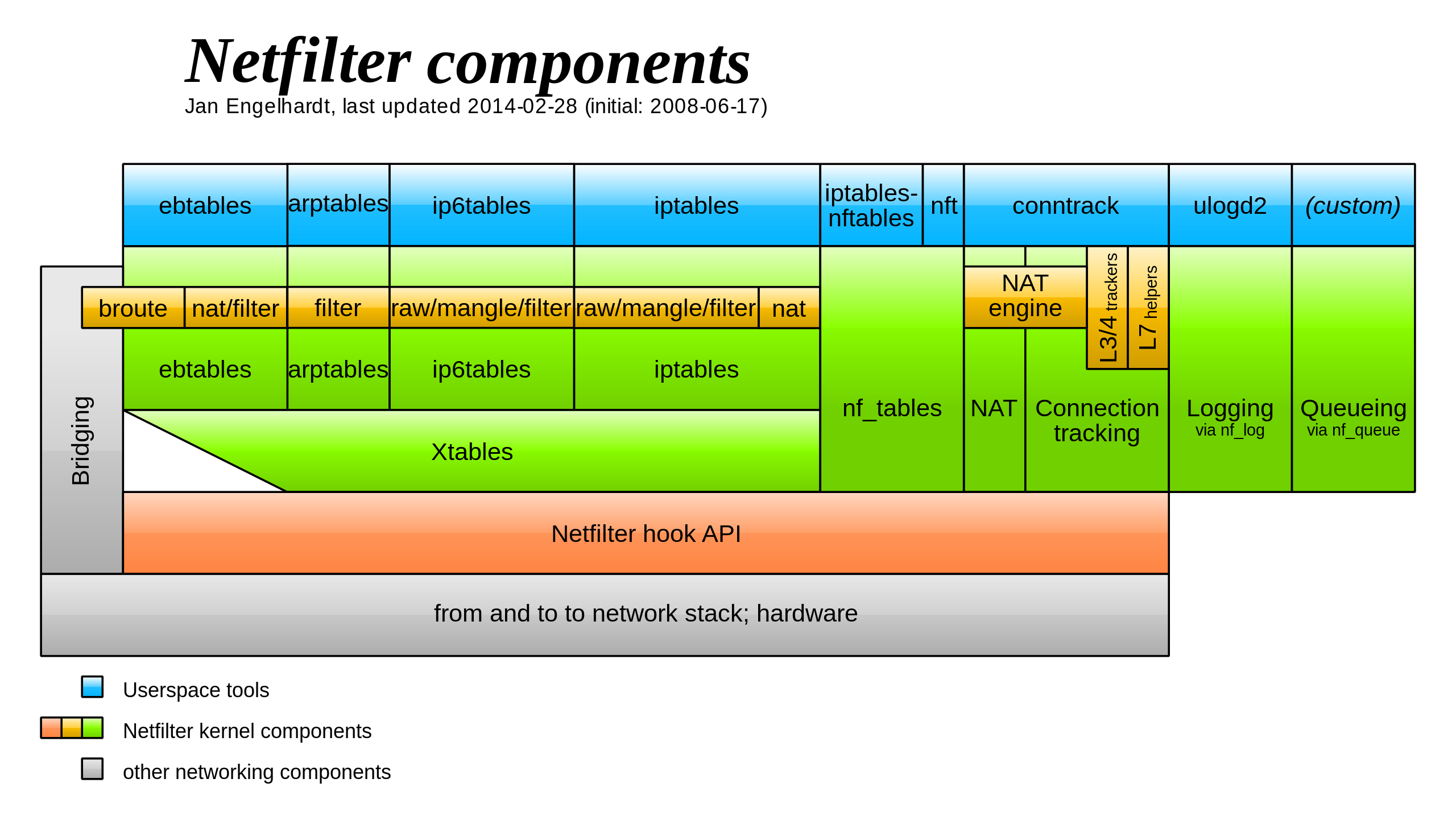
feature: inspect, modify, forward, redirect, and/or drop IP packets
ref:
https://www.netfilter.org/projects/iptables/index.html
https://en.wikipedia.org/wiki/Netfilter
https://en.wikipedia.org/wiki/Iptables
https://wiki.archlinux.org/title/iptables
basic workflow
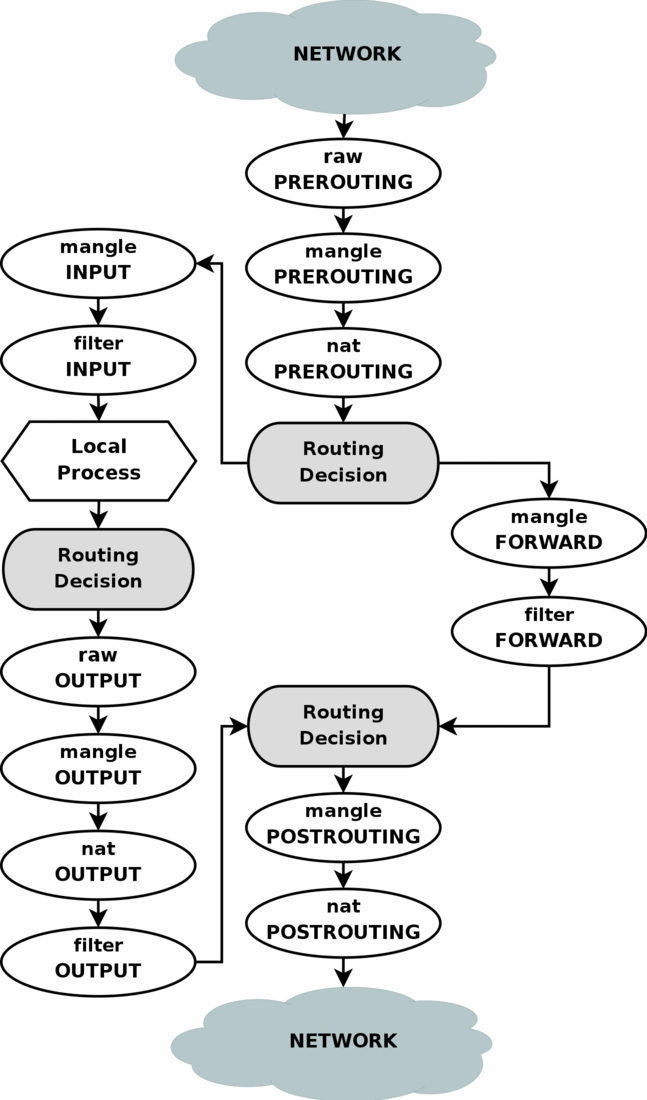
iptables contains five tables:
raw is used only for configuring packets so that they are exempt from connection tracking.
filter is the default table, and is where all the actions typically associated with a firewall take place.
nat is used for network address translation (e.g. port forwarding).
mangle is used for specialized packet alterations.
security is used for Mandatory Access Control networking rules
filter and nat are most commonly used.
Tables consist of chains, which are lists of rules which are followed in order. The default table, filter, contains three built-in chains: INPUT, OUTPUT and FORWARD which are activated at different points of the packet filtering process. The nat table includes PREROUTING, POSTROUTING, and OUTPUT chains.
Packet filtering is based on rules, which are specified by multiple matches (conditions the packet must satisfy so that the rule can be applied), and one target (action taken when the packet matches all conditions). match include: what interface the packet came in on (e.g eth0 or eth1), what type of packet it is (ICMP, TCP, or UDP). Built-in targets are ACCEPT, DROP, QUEUE and RETURN
tables -> chains/rules -> rules -> (matches, action)
ref:
https://www.frozentux.net/iptables-tutorial/iptables-tutorial.html#TRAVERSINGOFTABLES
basic usage
list current iptable
1 | sudo iptables -L -t [filter|nat|mangle|raw|security] -v |
some add rule example
1 | sudo iptables -A <chain> -i <interface> -p <protocol (tcp/udp) > -s <source> --dport <port no.> -j <target> |
delete rule
1 | # first check rule number of the rule to be deleted |
delete table/chain
1 | sudo iptables -t nat -F [chain] |
persist change
1 | # first method |
https://www.frozentux.net/iptables-tutorial/iptables-tutorial.html#MATCHES
other
related source code: source/net/netfilter/x_tables.c
https://elixir.bootlin.com/linux/latest/source/net/netfilter/x_tables.c